Walk into almost any office and you’ll find a meeting going on somewhere. Some days it’s three people huddled over a project timeline. Other days it’s a full team on a call with a client in another city, or with colleagues spread across different time zones.
Whatever the size of the group, the meeting only works if people can see and hear each other properly.
We’ve all sat through the alternative. Someone’s voice cuts out halfway through a sentence. The video freezes on an awkward frame. The person at the far end of the table has to repeat themselves twice because nobody on the call caught it. None of these problems sound serious on their own, but together they eat up time and break the flow of a conversation.
That’s exactly where good conference room AV solutions earn their place.
When the audio and video are set up properly, people stop fighting the technology and get on with the meeting. They can share a presentation, bring in remote colleagues and finish on time.
That said, no single setup suits every space. What works in a four-seater huddle room would struggle in a boardroom, and the reverse is just as true.
So let’s look at what each room size actually needs.
What Are Conference Room AV Solutions?
Put simply, conference room AV solutions bring together the audio, video and communication tools a meeting space relies on.
Most setups include some combination of:
- A display screen or projector
- A video conferencing camera
- Microphones and speakers
- A wireless screen-sharing device
- Video conferencing software
- A control system for the room
Each piece has a job. The camera lets remote participants see who’s in the room. The microphones pick up voices around the table, and the speakers make sure everyone in the room can hear the people dialling in.
When it all works together, nobody thinks about the equipment at all. That’s really the goal.
Conference Room AV Solutions for Small Meeting Rooms
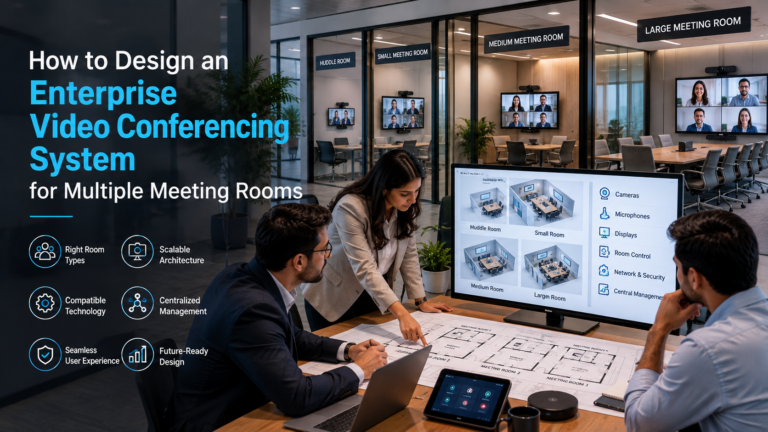
A small meeting room typically seats between 2 and 6 people. These are the rooms teams grab for quick catch-ups, interviews, project check-ins and short client calls.
Because the space is compact, there’s no need to overcomplicate things. A basic setup with the right features usually covers everything.
Why Is a Simple Setup Better?
Small rooms are usually booked for short meetings, often back to back.
Nobody wants to spend the first ten minutes of a 30-minute slot getting the screen to work. People should be able to walk in, connect and get started almost immediately.
Fewer components also mean fewer things that can go wrong, which makes life easier for everyone, including your IT team.
Conference Room AV Solutions for Medium Meeting Rooms
Medium meeting rooms generally hold 7 to 12 people.
This is where you’ll see team meetings, department reviews, client presentations and the occasional training session.
Once a room reaches this size, coverage starts to matter a lot more. A laptop camera and its built-in mic simply weren’t designed to capture a whole table of people.
Recommended Equipment for Medium Meeting Rooms
- Large Display or Dual Screens
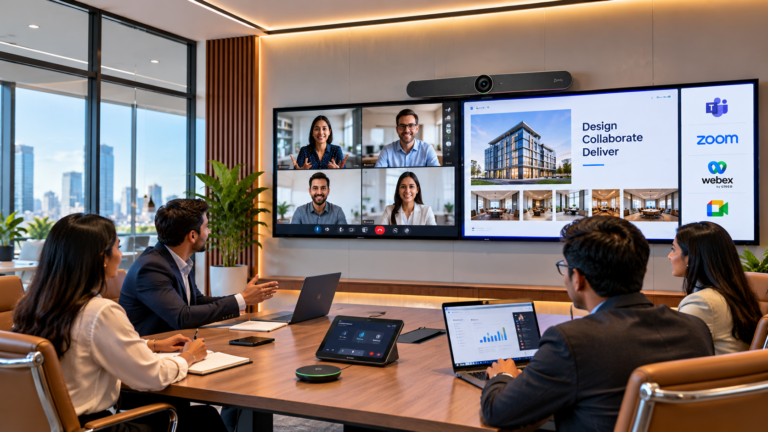
A display in the 55 to 75-inch range helps everyone see shared content and remote participants clearly. Some companies prefer two screens: one for the people on the call and one for the content being shared. - PTZ Camera
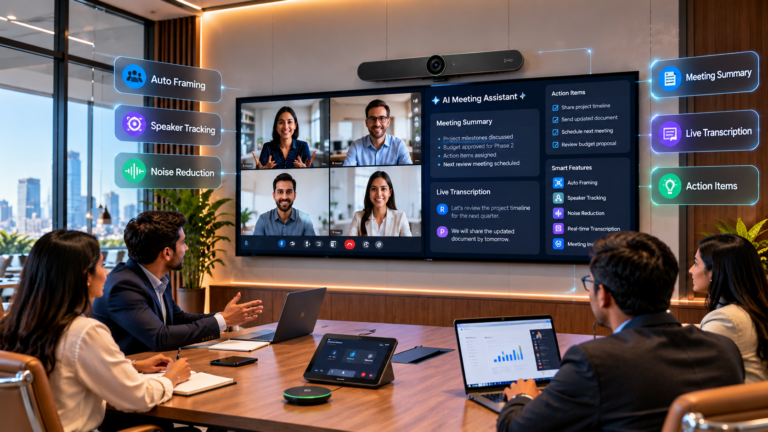
A pan-tilt-zoom camera can turn and zoom to frame whoever’s speaking. Many models also offer automatic speaker tracking, so remote attendees always know who’s talking. - Table or Ceiling Microphones
Microphones need to pick up voices from every seat, not just the ones nearest the laptop. Ceiling microphones are a popular choice because they keep the table free of extra hardware. - Clear Audio System
Sound should reach every corner of the room evenly, so people at both ends of the table can follow remote participants without leaning in. - Touch Control Panel
A simple touch panel lets anyone start a call, adjust the volume or switch displays from one place, instead of juggling remotes and laptop settings.
Why Does Audio Coverage Matter?
Picture a long table with ten people around it and a single microphone at one end.
The people nearest the mic come through fine. The ones at the other end sound distant, or don’t come through at all. Before long, they either raise their voices or stop contributing.
A well-planned AV system avoids this by covering every seat, so everyone can take part without repeating themselves.
Conference Room AV Solutions for Large Meeting Rooms
Large meeting rooms usually seat 13 people or more.
Think boardrooms, executive meeting spaces, training rooms and larger conference halls.
With people spread across a bigger area, these rooms need more capable equipment, and more thought about where it goes.
Why Do Large Rooms Need Proper Planning?
It’s tempting to think a bigger room just needs more equipment. In practice, piling on devices doesn’t fix poor communication.
Camera placement, microphone reach, speaker direction, lighting and even the room’s acoustics all shape the final result.
How to Choose the Right Conference Room AV Solutions
Before buying any AV equipment, it’s worth thinking through a few key points.
Room Size: How many people use the room, and how they sit, shapes your choice of camera, microphones and display.
Meeting Purpose: A room for internal team discussions may need a different setup from one used to pitch to clients.
Ease of Use: If people have to call IT every time they start a meeting, the system isn’t doing its job.
Matching equipment to how each room is actually used is the simplest way to avoid paying for things you don’t need.
Conclusion
No two meeting rooms have exactly the same audio and video needs.
Small rooms do best with simple, compact systems. Medium rooms need stronger camera and microphone coverage. Large rooms call for equipment that’s carefully planned and placed.
Get your conference room AV solutions right, and meetings become more organised, conversations flow more easily, and technical hiccups become the exception rather than the rule.
The smartest approach is to choose equipment based on room size, how the room is used and what your budget allows.
With well-designed enterprise video conferencing solutions in place, your teams can work together smoothly, whether they’re in the same room or on opposite sides of the world.