Work no longer happens under one roof. A product team may sit in one city, the sales head may be travelling, and half the engineering group may be working from home on any given day. Companies that once relied on hallway conversations now depend on screens to keep everyone aligned. That shift has quietly turned the meeting room from a table with chairs into a piece of communication infrastructure.
The mistake many organisations make is treating this as a shopping problem. Buy a camera, hang a screen, done. In practice, a room that works well for ten people in a boardroom will frustrate three people in a huddle space, and a setup that runs beautifully on a quiet Tuesday can fall apart when six rooms go live at once on Monday morning. Hardware is only one layer. Room planning, network capacity, day-to-day management and security all sit underneath it.
This blog walks through how to design an enterprise video conferencing system across several meeting rooms, and what to weigh up before committing to any particular set of enterprise video conferencing solutions.
Understand Your Meeting Room Requirements First
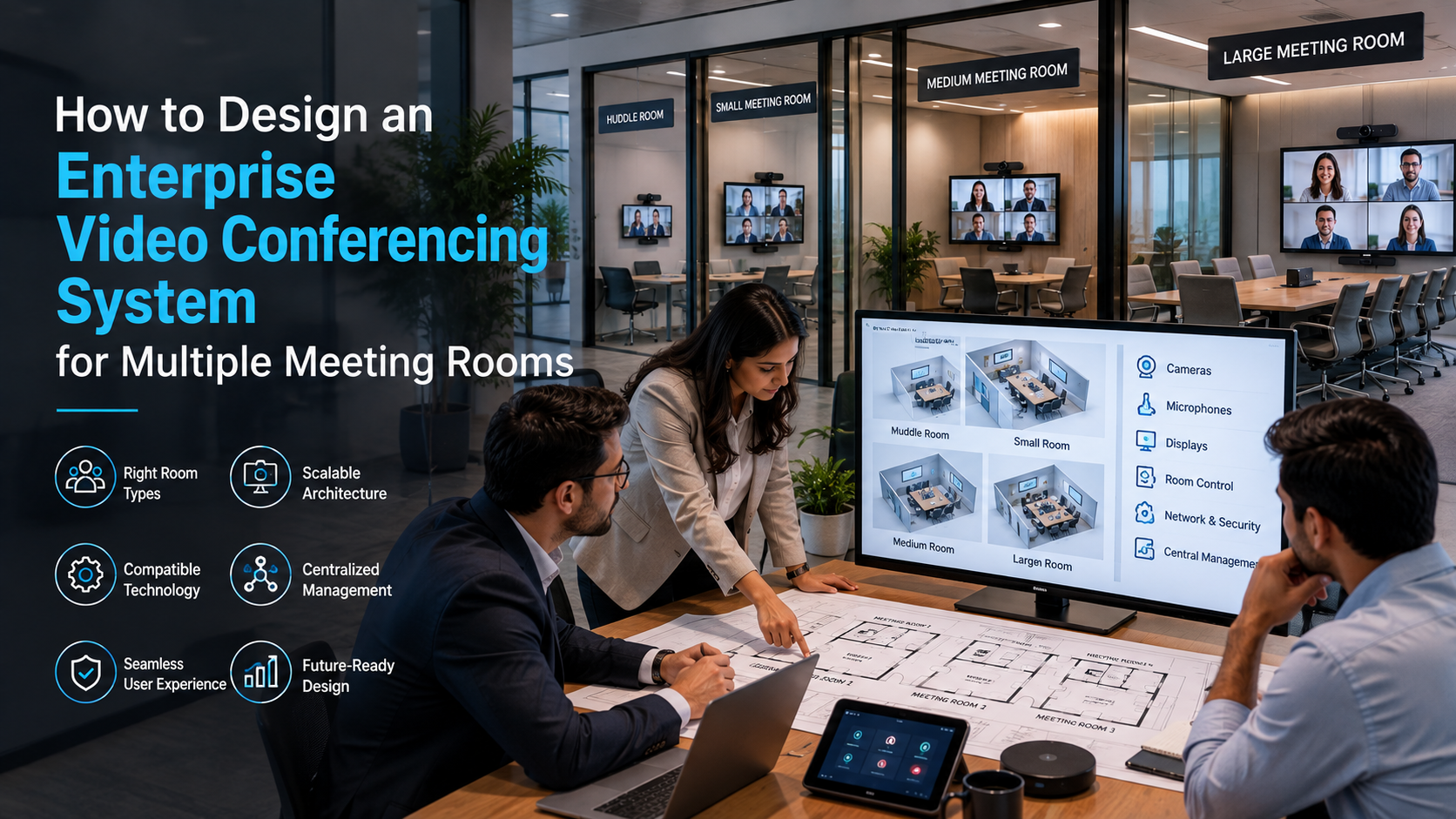
No two rooms carry the same workload, so no two rooms deserve the same kit. A four-seat huddle room used for quick stand-ups has almost nothing in common with a boardroom hosting quarterly reviews for a mixed in-person and remote audience.
Before a single bracket goes into a wall, walk the floor and observe how each space is actually used. Rough guide:
- Compact rooms are usually well served by an all-in-one video bar paired with a single display.
- Mid-sized rooms benefit from a wider-angle camera, supplementary microphones and speakers matched to the room’s acoustics.
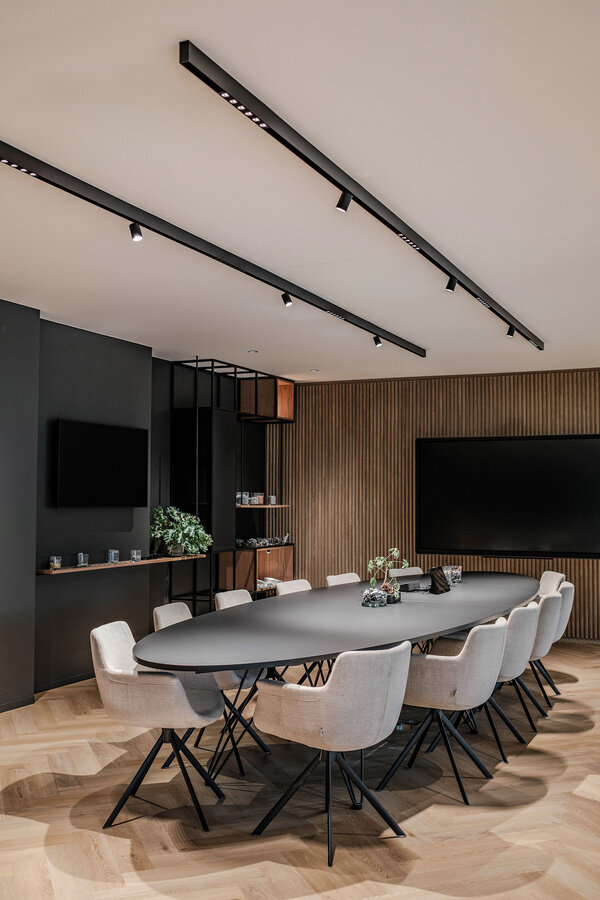
- Large boardrooms may justify more than one camera, a distributed audio system and a dedicated touch controller on the table.
Three things drive the decision: how many people the room seats, how often it is booked, and what kind of meeting happens in it. Mapping this out first is the cheapest way to avoid both over-buying and under-buying.
Choose the Right Video Conferencing Equipment
Remote participants judge a meeting almost entirely on what reaches them. If the audio hisses or the far end of the table is a blur, the content of the discussion stops mattering.
Cameras. The job of the camera is to make remote attendees feel included rather than observed from a distance. Auto-framing, which tightens or widens the shot depending on who is in the room, has become a standard expectation rather than a premium feature.
Microphones. Audio is where most meetings are won or lost. Pickup range, echo cancellation and noise suppression matter more than raw specifications, particularly in rooms with glass walls or hard flooring.
Speakers. Output needs to stay intelligible at conversational volume without anyone leaning toward the table. Underpowered speakers cause people to talk over each other.
Displays. Screens should be sized to the furthest seat, and positioned so that shared content and faces can be viewed together rather than competing for the same panel.
Commercial-grade equipment costs more upfront and earns it back in reliability, warranty terms and the ability to run for eight hours a day without complaint.
Build a Strong Network Infrastructure
Excellent hardware on a struggling network produces a poor meeting. The network deserves as much attention as the room itself.
Bandwidth headroom. Plan for the worst case, not the average. Calculate what happens when every room is in a high-definition call simultaneously, then leave margin above it.
Traffic priority. Real-time voice and video are unforgiving of delay in a way that file downloads are not. Quality-of-service rules that give conferencing traffic precedence prevent the frozen frames and clipped audio that erode trust in a system.
Resilience. For larger organisations, a secondary connection and sensible failover planning keep an important call alive when the primary link has a bad afternoon.
A dependable network is the foundation every enterprise video conferencing solution quietly stands on.
Maintain the Same Experience Across All Rooms
Once a company operates more than a handful of rooms, consistency becomes a feature in its own right. Nobody should have to relearn the controls because they booked a different floor.
Standardisation typically means:
- Comparable hardware and layouts across rooms of similar size
- One way to start, join and share, everywhere
- Short, plain-language instructions visible in the room
- A single support route when something misbehaves
The payoff is measured in meetings that begin on time instead of five minutes late.
Add Centralised Device Management
Managing rooms one at a time works until it doesn’t. Beyond a certain number, physically visiting each space to check a device becomes unworkable.
A central management platform gives IT a single view and the ability to act remotely. Typically that covers:
- Live device health and status
- Firmware and software updates pushed remotely
- Early warning of faults before users report them
- Room utilisation data
- Configuration applied consistently across sites
Utilisation data is often the unexpected win — it shows which rooms are oversubscribed and which are sitting empty, which informs the next round of investment.
Focus on Security and Privacy
Meetings carry commercially sensitive material, so security belongs in the design phase rather than the review phase.
A well-secured system generally includes:
- Verified user identity before a meeting starts
- Controls over who can join, and lobby or waiting-room options
- Encryption for media and signalling
- A patching routine that is actually followed
- Managed, authenticated access to the devices themselves
Technology is only part of it. Written policies covering recordings, external guests and confidential discussions give employees clear expectations to work within.
Connect With Existing Business Tools
Rooms feel modern when they fit into the software people already live in. A good platform integrates with:
- Calendar and scheduling systems
- Corporate identity and single sign-on
- Collaboration and messaging platforms
- Room booking and desk management tools
The test is simple: someone should be able to accept an invitation at their desk, walk into the room, and join with one press. Every extra step is friction repeated thousands of times a year.
Plan Installation in Different Stages
Rolling out across an estate is safer in phases than in one push.
Step 1: Audit what exists. Document current rooms, current pain points and the gap between them.
Step 2: Build a pilot room. Deploy one room properly and let real teams use it for several weeks. Their complaints are the most valuable design input you will get.
Step 3: Scale out. Apply the refined standard across remaining rooms and locations.
Step 4: Train and support. Show people how to start a meeting, share a screen and use the features that exist. Unused capability is wasted budget.
Benefits of Enterprise Video Conferencing Solutions
Done well, the return shows up in ordinary working days:
- Clearer communication between distributed teams
- Remote colleagues who participate rather than observe
- Less travel for conversations that never needed a flight
- Faster decisions, because the right people can be assembled quickly
- Meetings that start on time and stay watchable
- Better return on the office space you are already paying for
Conclusion
Designing an enterprise video conferencing system for multiple meeting rooms is a planning exercise before it is a purchasing one. Room requirements, equipment quality, network performance, security posture and manageability all pull on each other, and weakness in any one of them is felt in every call.
The right enterprise video conferencing solutions give an organisation rooms that people trust — spaces where the technology stops being a topic of conversation and simply lets the conversation happen.