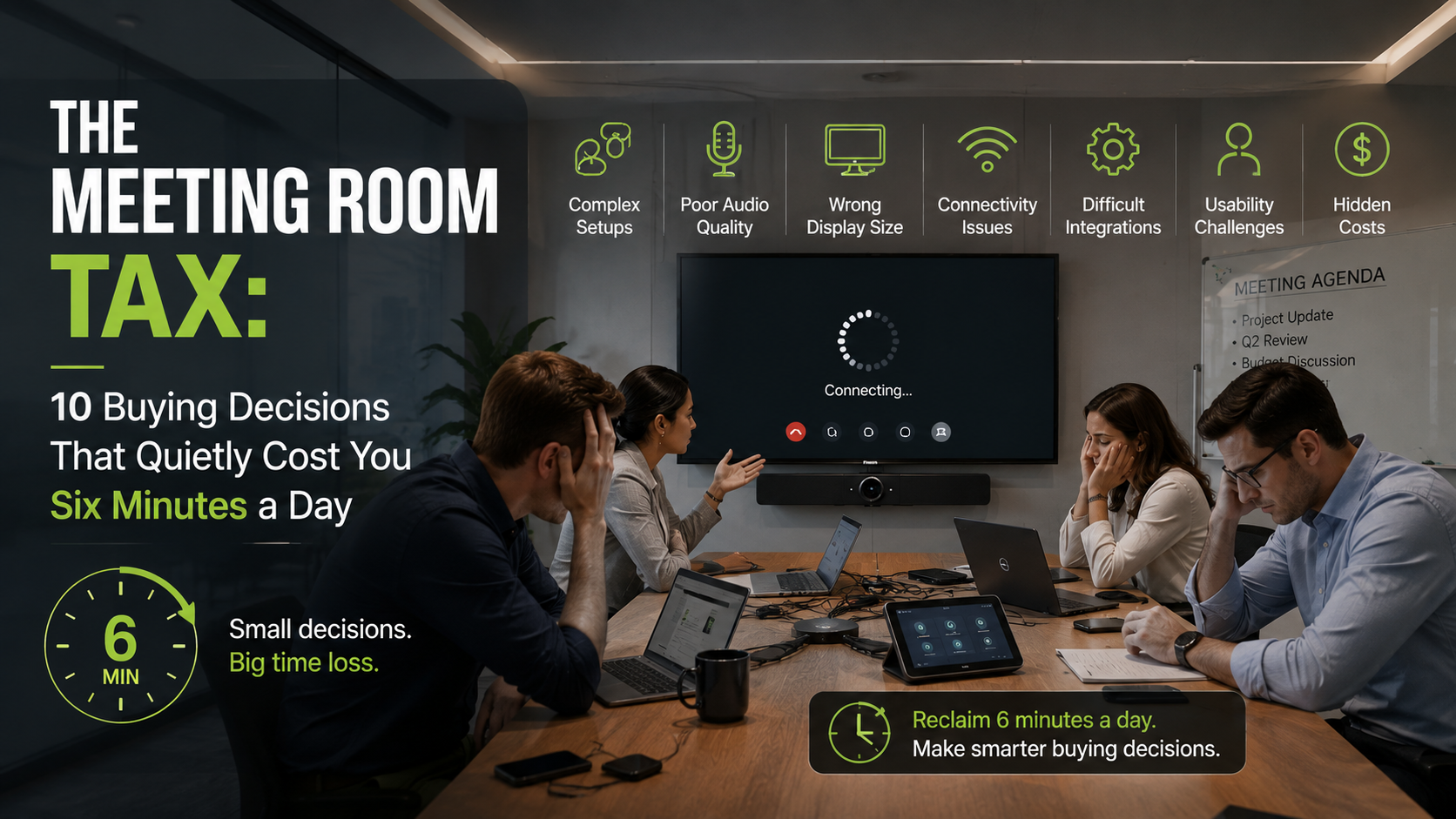
Every company has one. The room where the HDMI cable has been re-labelled three times in different handwriting, the display defaults to the wrong input, and somebody ends up propping a phone against a water glass so a client who has already checked out can hear.
Nobody files a ticket for this. The room technically works. It just costs everyone four to six minutes at the start of every call.
Do the arithmetic. Six wasted minutes, four meetings a day, eight people in the room: roughly three hours of paid time evaporating daily, in one room. Almost all of it traces back to the buying process. Here are the ten decisions that cause the most damage. Also read: 7 Common issues in meeting rooms.
1. Reading the quote instead of the contract
The number on the proposal is an entry fee, not a price. One quote includes a camera but assumes you will source microphones. Another attaches per-room licences that renew annually. A third looks complete until installation and commissioning appear as line items marked “TBD.”
Build a three-year figure before comparing anything: hardware and mounting, licences, installation labour, support, and the firmware update window. That last one is the sleeper. A device that loses vendor support in year three is not a purchase — it is a lease with a surprise ending.
2. Copy-pasting the same kit into every room
A room for four and a room for twenty are different engineering problems. Treat them as one decision and you get a boardroom where the far end of the table is inaudible and a huddle space with a camera wide enough to film a wedding.
Walk each room before you spec it. Note the table shape, the seating positions, the window wall that turns everyone into a silhouette by 3pm, and where a display can actually be mounted.
3. Buying with your eyes when meetings are won with your ears
Video quality is what gets demonstrated. Audio quality decides whether the meeting is any good. The last call that went badly was not ruined by a soft picture — it was somebody clipping in and out, or a keyboard clattering over the top of a decision.
Test audio the way it will be used. Put someone in the furthest seat, talking at normal volume rather than presentation volume, then ask a remote participant a blunt question: could you follow that comfortably, or were you working for it?
4. Paying for the demo reel
Speaker tracking. Auto-framing. Whiteboard capture. Multi-camera director mode. Impressive in a showroom — and irrelevant to a Tuesday standup, where people join, are seen and heard, share a document, and leave.
Before paying for a capability, name the person who will use it and the meeting they will use it in. Otherwise you are subsidising a sales demo.
5. Assuming people will learn the room
Here is the only usability test that matters. Take someone who has never set foot in the room and attended no training, and ask them to start a scheduled call, share a laptop screen and adjust the volume — no help, no manual.
If it takes more than a minute, the room gets avoided — quietly. People book elsewhere, and the investment sits unused. What good looks like: one control surface, one tap to join, one cable that works with any laptop.
6. Optimising for your platform and forgetting everyone else’s
You might live in Microsoft Teams. Your biggest client runs Zoom, the recruiter sends a Google Meet link, the auditor insists on Webex.
“Supports other platforms” is a marketing phrase, not an answer. Ask exactly what an employee does to join an external call here, how many steps it takes, and whether the room microphones get used or it falls back to the laptop’s own hardware. A room that handles internal calls beautifully and external ones awkwardly fails in front of customers — the one audience whose opinion has revenue attached.
7. Specifying for the org chart you have today
Headcount moves, offices open, rooms get subdivided. Ask what growth costs: can rooms be added without a new contract tier, can extra microphones be connected later, does the licensing model punish you for hiring? Scalability carries a small premium and saves a full re-fit later.
8. Treating security as an installation step
Meeting rooms hear things — pricing, contract terms, customer data, unannounced decisions. That makes the room an endpoint, and endpoints belong in a security review before purchase.
Ask where recordings are stored and under whose jurisdiction, whether encryption is on by default, who controls recording permissions, and how fast vulnerabilities get patched. Involve IT while you still have leverage; once the units are mounted, your negotiating position is gone.
9. Judging the vendor only by the hardware
Everything fails eventually — a camera stops responding after an update, somebody unplugs the wrong thing during a deep clean. What matters then is who picks up.
Pin down coverage hours, response times, and whether you get a named contact or a queue. Then ask the question most buyers skip: who owns the problem when the hardware is fine but the meeting platform is misbehaving? If the answer is a shrug between two vendors, you will be mediating during a client call.
10. Buying from a brochure
A spec sheet cannot tell you how a system behaves in your room, on your network, with your people. Insist on a pilot, then stress it: join a call on a platform your customers use, read a dense spreadsheet from the far seat, and have two people talk over each other.
Most importantly, ask the least technically confident person on the team to run a meeting unassisted. If they struggle with an engineer standing beside them, they will struggle alone in week three.
The bottom line
Badly chosen conferencing gear rarely fails dramatically. It just taxes you. A few minutes here. A client kept waiting there. A remote colleague who stops contributing because interrupting is too hard.
Buy for clear audio from every seat, a joining process that needs no explanation, equal ease across platforms, kit matched to the room, security that satisfies IT, support that answers, and a three-year cost you calculated rather than assumed.
The best system in the room is the one nobody mentions — because everyone was too busy having the meeting. Test it before you buy it.